Twelve years. That's the warranty printed on both the Herman Miller Aeron and the Steelcase Amia, which on paper makes them the same bet for anyone building out an ergonomic seating setup for a home office. Sit in each one through a real remote-work day, though, and that matching number stops meaning much. I spent a long stretch of my own home-office research treating warranty length like the whole story, before I figured out the actual decision comes down to how you move, not how long a chair is guaranteed to survive you.
A note on how this comparison came together: every chair mentioned here is one I've actually sat in for stretches of real work, client calls, writing sprints, the works - not a showroom perch. None of that makes me a physical therapist or an ergonomics specialist, so if your back pain is a recurring problem rather than an occasional ache, talk to a doctor or a licensed PT before you let any chair review make the call for you.
The Ergonomic Chair Graveyard in My Home Office
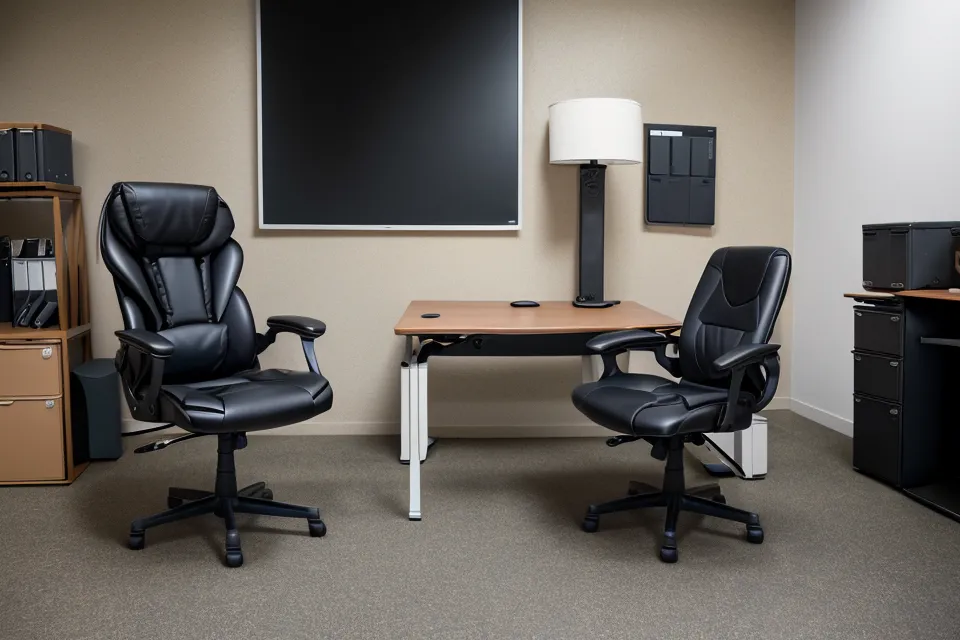
Before the Steelcase Amia landed in my home office, my garage held a small graveyard of task chairs, plush in the showroom photos but sagging and creaking within a year of daily use. Replacing one every year or two felt cheaper in the moment than committing to a single higher-end piece, but it wasn't; that's the durability-vs-price tradeoff nobody spells out until you've lived through it a few times over. A warranty length is really the manufacturer telling you how long they expect the materials to hold up under someone who sits in it for a living, which is why Steelcase backing the Amia for twelve years reads so differently than the standard one-year coverage on a big-box special. The Branch chair I also test-sat backs its build for around seven years, a real commitment too, just calibrated to a lower price tier. Somewhere in that same stretch, before I'd settled on anything, I caught myself stacking couch cushions under my laptop trying to fake a standing arrangement instead of just buying a desk with a standing-desk height range that actually fit me, a workaround that lasted about as long as you'd expect.
That chair graveyard is also where my shoulders started locking up by Friday afternoons, tight enough that turning my head felt like a negotiation. I wrote up the specifics of what actually helped in how to adjust your ergonomic office chair for better shoulder support, if that tightness sounds familiar.
Mesh Precision or Fabric That Moves With You?
Picking between the Herman Miller Aeron and the Amia felt a lot like returning a too-tight pair of jeans; you have to be honest about how you actually move, not how you'd like to move on your best day. The Aeron's rigid mesh frame is the gold standard for a reason: sit centered and stay there, and its structure holds a textbook-perfect posture. But I lean sideways mid-spreadsheet, tuck a foot under myself on calls, and generally treat "sit up straight" as more of a suggestion than a rule, and on a frame that rigid, that kind of shifting works against the chair instead of with it.
The Amia's LiveBack mechanism is what changes that math. Instead of a fixed recline-tension setting you have to manually recalibrate every time you shift position, the way a lot of adjustable-tension chairs work, the backrest just flexes to match whatever angle you're currently sitting at. I also seriously considered Design Within Reach's Eames-adjacent lineup: gorgeous chairs, but built for a room that doesn't see a juice-box spill on a weekly basis, and it never felt like the forgiving, family-office piece I actually needed. Steelcase's own catalog has more than one answer to this same problem, and for anyone weighing the heavier hitters against each other, I broke down the Steelcase Gesture vs Herman Miller Embody for long remote workdays comparison in a separate piece.
The Armrests Are Doing More Work Than I Expected
Seat depth turned out to matter more than I expected walking in. The Amia's three-inch adjustment range let me slide the seat pan out far enough to support my thighs without cutting off circulation behind my knees, a fit problem chairs built for an "average" body tend to get wrong. Lumbar support is really its own deep rabbit hole, dense enough that I've given it a dedicated write-up elsewhere rather than trying to compress the whole topic into a paragraph here.
Then there are the armrests. Steelcase calls them 4D; I call them the reason my elbows stopped complaining by early afternoon. They move in, out, forward, back, and pivot, so when I'm typing they land right under my elbows, and when I lean back for a call they stay out of the way instead of pinning my arms against my sides. None of that fixes a monitor sitting at the wrong eye level, though. A chair only solves half of what makes a desk setup work, and I still had to raise my screen separately before the neck tension actually let up. If your aches are coming from somewhere other than the armrests, how to choose office chair lumbar support to relieve back pain is the piece I'd send you to next.
Living With It, Toddler and All
Day to day, the Amia has become the chair I stop noticing, which might be the highest compliment a piece of office furniture can earn. It's taken a juice-box spill without staining, survived my kid using it as a spinning ride more than once, and it still rolls the same way it did on day one, casters catching that same dull thunk when they cross from the hardwood onto the edge of my desk mat. A friend of mine, Patience, works as a physical therapist and has zero patience left (her word, not mine) for the word "ergonomic" printed on a listing with nothing behind it. She'll ask exactly which measurement changed and by how much before she believes a single marketing claim, and that habit rubbed off on me.
That same skepticism follows me into every other room now: I check a rug's washability rating with the same suspicion I bring to a chair's warranty page, because "kid-proof" gets stamped on a lot of furniture that's never actually met one. A reader named Maura messaged me a while back about outfitting her own living room around a genuinely destructive ninety-pound rescue dog, and the logic held steady across both rooms: buy for the daily use you'll actually get, not the showroom photo. She still checks in every so often to report on how her sectional's holding up. If you're weighing similar decisions for a family living room, I've written about Lovesac Sactional configurations for families with toddlers as well.

Aeron or Amia: Which One Should You Actually Buy?
Five years into full-time remote work, here's the line I'd actually draw: if you sit upright and stay mostly still for eight hours, the surgical precision of a mesh Aeron will likely serve you better than anything else on this list. But if you're a fidgeter, leaning, shifting, occasionally grinding out a stretch past a normal stopping point because a deadline demands it, the Steelcase Amia is built for exactly that kind of body. You don't need a working knowledge of ergonomics to get the benefit from it; the chair adjusts to you instead of demanding you adjust to it. I noticed the shift on an unremarkable Friday, closing my laptop and realizing I couldn't actually remember the last time my shoulder had that familiar ache.
If you're still cycling through your own graveyard of chairs, the math here is simple: pay once for something built to hold up, and stop paying every year or two for something that isn't.
Steelcase
Pros
- + LiveBack mechanism flexes naturally with your spine as you shift postures
- + Best-in-class 4D armrests that actually stay where you put them
- + 12-year warranty means you'll stop buying a new chair every two years
- + 3-inch seat depth adjustment fits a wide range of heights and sitting styles
Cons
- ✘ Fabric upholstery can get a bit warm during humid summer afternoons
- ✘ Visual design is a bit 'corporate' and lacks the flair of high-end mesh chairs