
A stack of old marketing textbooks and a properly mounted monitor arm do the exact same job — holding a screen roughly level with your face — and for a while I genuinely couldn't have told you why one was worth paying for over the other. Then my neck told me. Somewhere in the middle of fixing my home office setup one piece at a time, the monitor turned out to matter almost as much as the chair, and an ergonomic workspace built around a good chair alone still left me hunched forward every afternoon.
Quick disclosure before the questions start: some of the links below are affiliate links to gear that actually survived my testing, and I earn a small commission if you buy through them at no extra cost to you. I'm not a certified ergonomics specialist — just a freelancer who's spent five years testing this stuff on her own desk and getting tired of blaming caffeine for headaches that were really a screen problem.
Before I ever looked at my screens, I was sure the fix lived in my chair. I'd wedged a foam seat cushion in there hoping it would settle the ache — it bottomed out within a couple of months and the shoulder tightness never actually let up. That's when it occurred to me the problem wasn't underneath me at all. It was two feet in front of my face, propped on a stack of books with zero flexibility and even less dignity.
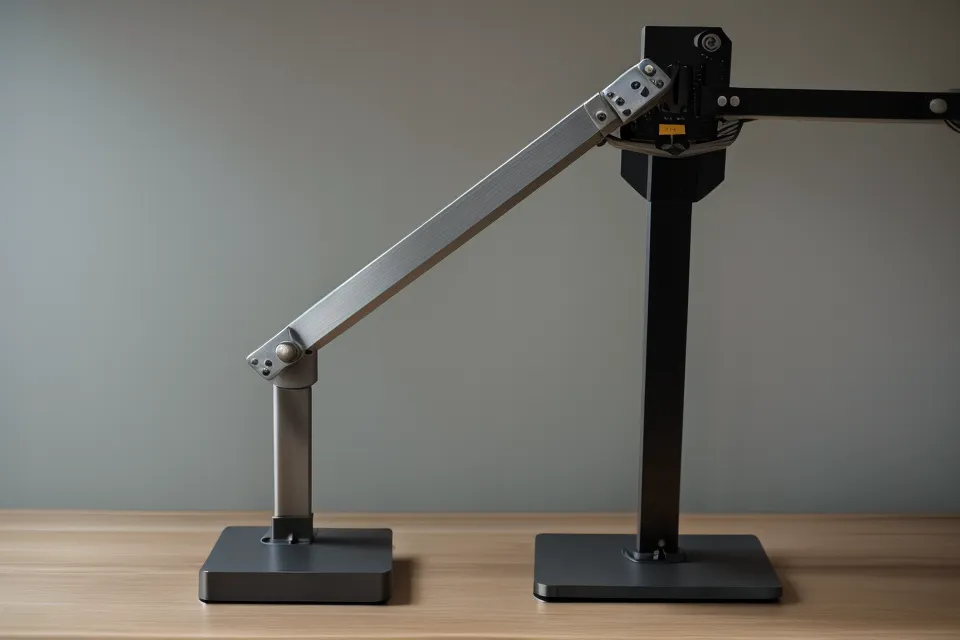
Two Independent Arms vs. Single-Post Dual Mounts
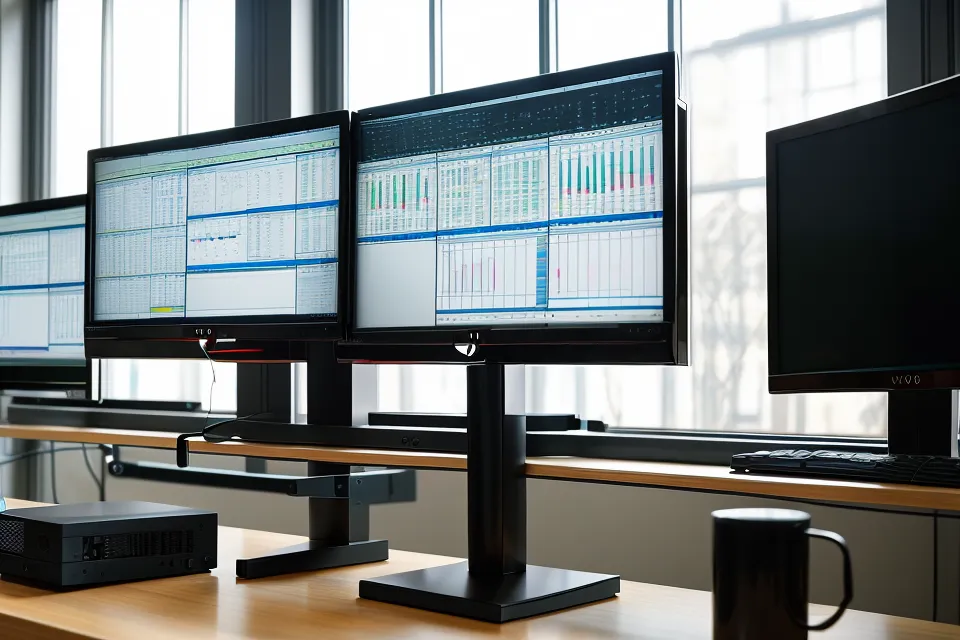
Skip the single-post dual mount — the one heavy central pole with two arms sprouting off it. It looks tidy in product photos, but it forces both screens into a fixed relationship with each other, so you end up fighting to find one true focal point instead of one per screen. Two independent arms let you put your primary monitor dead in front of your face and angle the second one wherever actually makes sense for your neck, which matters even more once you're running a pair of 27-inch panels — most single-post rigs don't have the reach to angle both screens toward your eyes without the outer edges overlapping or the whole assembly hanging six inches off the back of the desk. I tried a cheap dual-mount first and it wobbled with every keystroke, like the desk was floating.
My friend Omari, a fellow freelancer I met years back arguing over a folding chair at a Small Business Saturday vendor table, owns three desks spread across his house and genuinely works from one of them. The other two mostly collect mail. The desk he actually uses has two independent arms dialed in exactly where his eyes land, and that's the part people miss — a monitor arm isn't really about saving desk space, it's about making the one desk you use worth using.
Finding the Right Screen Height
This is the one piece of monitor-arm advice worth actually memorizing: the top edge of the screen should land at or slightly below your eye level, with the center of the screen falling roughly 15 to 20 degrees below your natural horizontal line of sight. Not "somewhere around eye height." Not "wherever looks balanced on the desk." That specific range is what keeps your neck from tipping forward or craning up, and it's the first thing I check whenever a headache shows up that I'd otherwise blame on something else.
Books under a monitor get you into the right neighborhood by accident, sometimes, but they don't let you fine-tune anything, and they definitely don't let you drop the screen back down half an inch when you switch to a lower chair setting. An arm with a real height range — not just tilt — is what makes that adjustment possible without re-stacking a thing.
Auditing Everything Else on the Desk
Once screen height is sorted, the rest of the setup tends to surface its own problems. Lumbar support is the next thing worth chasing down if your chair's never quite matched the curve of your lower back — I've written separately about what actually worked for readers dealing with sciatica pain chasing that exact fix. Seat depth matters just as much and gets ignored more often; how far the cushion runs before it hits the back of your knees changes everything about a long call, and it's a bigger part of the Herman Miller chair conversation than most buying guides let on. Armrest width and pivot are their own fitting exercise entirely — not something a monitor arm fixes, no matter how good it is. If you're standing part of the day, a desk's actual usable height range matters more than the brand name on the leg, and recline tension is a separate calibration problem again, unrelated to any of this.
Herman Miller Versus Branch, Without the Marketing Gloss
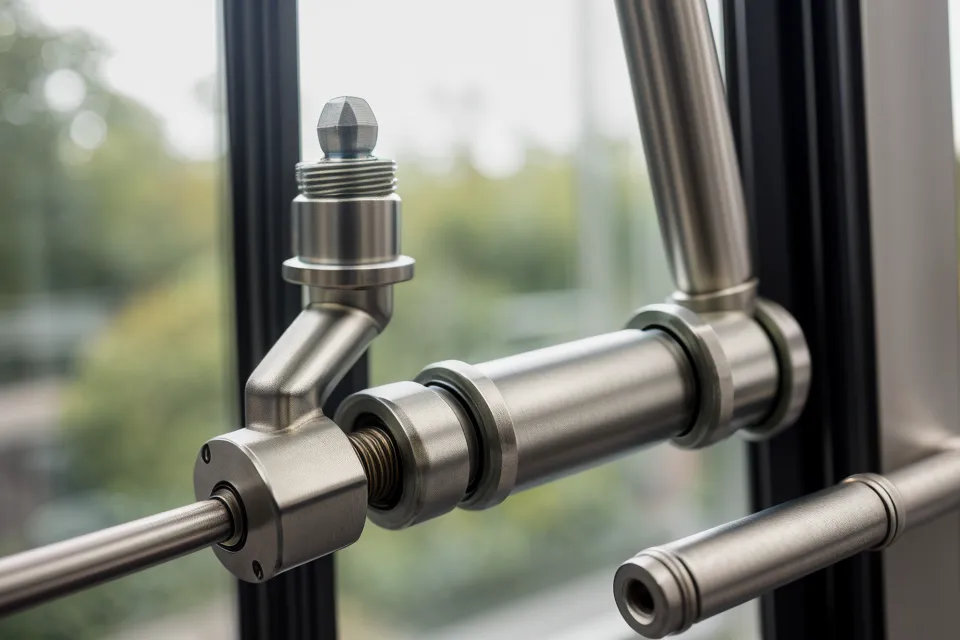
I ended up buying into the Herman Miller monitor arm lineup, and unboxing it was the first time "ergonomic gear" didn't feel like a marketing word (no flimsy plastic, no bolt you have to keep re-tightening). It mounts through the VESA Mounting Interface Standard — the 75mm or 100mm hole pattern on the back of nearly every screen sold in the last decade — and the gas spring makes a 27-inch monitor feel weightless enough to nudge into place with one finger. If you've already worked through seat depth on a chair — how far the cushion runs before it hits the back of your knees, which I get into more in the best Herman Miller office chairs for long work days piece — adding their monitor arm to the same desk feels like finishing a thought you started months earlier.
Branch is the honest middle ground if the Herman Miller number makes you wince, and it will. Their Branch arms are sturdy enough for a full eight-hour day and pair well with their chairs, which I've found solid for people with sciatica pain who need real lumbar adjustment without the heirloom-furniture price tag. Where the two brands actually separate is the warranty math: Herman Miller backs its arms for twelve years, where most big-box options top out around one. This is really the manufacturer telling you quietly when they expect the gas cylinder to give out. A long warranty is usually a more honest durability signal than anything printed on the box, and that durability-versus-price math is the same reasoning that got me to stop buying cheap chairs altogether. It's the appliance-store logic where paying once beats replacing something three times.
The Cable Chaos Nobody Warns You About
Nobody mentions that a good monitor arm turns your cable situation into its own project. The arm's channel only helps if you actually route the power brick, the USB hub, and the dock cable through it instead of letting them dangle behind the desk the way they used to. Renwick, a regular commenter in a home-office subreddit I follow, first showed up under one of my posts to correct a weight-capacity claim with a link to the actual spec sheet — he was right, and I fixed the post — and he's been unnervingly precise about cable routing in every thread since. His standard is higher than mine will ever be, and it's still a fair one: a tidy channel is worth the extra ten minutes it takes to do right.
Armrests are a separate fitting problem, worth handling on their own rather than assuming the right monitor height fixes elbow pinch too. Same goes for a standing desk's actual usable height range, which matters more than the brand printed on the leg once you're checking whether the surface clears your elbows at full extension. Recline tension is its own dial to get right, unconnected to any of this — three different adjustment problems that just happen to live on the same desk.
When a Monitor Arm Won't Fix What's Actually Wrong
I know the height change actually worked because of one specific Tuesday afternoon. Somewhere around 4 PM, deep in back-to-back calls, I noticed I hadn't once reached back to knead that spot between my shoulder blade and my neck. The screens were exactly where my eyes expected them to be, and for once my hand had nothing to do.
Some days, though, the fix isn't hardware at all. If your neck still aches after the arm is dialed in correctly, that's not a "buy a different arm" problem — it's worth a walk around the Shelley Lake greenway to reset, or an actual conversation with a doctor or physical therapist, because furniture can only correct posture, not diagnose what's causing the pain in the first place. I'm not qualified to tell you which one you need, and neither is anyone selling you a monitor arm.
If you're ready to get your screens off a stack of books and onto something that actually adjusts, the Herman Miller monitor arms are the ones I'd point a fellow remote worker toward first — steep to buy into, but cheaper over time than replacing budget arms every year or two. And if a toddler factors into your home office at all, the washability rating on your rug matters roughly as much as any of this — a separate rabbit hole, but a real one.