
A genuinely well-reviewed ergonomic chair can still leave your shoulders in knots by the end of a workday. I hear this concern from most people setting up a home office for the long haul, and the answer rarely has much to do with the chair's price tag — it's almost always a posture correction problem hiding in plain sight, at four or five adjustment points nobody touches after unboxing.
Here's the short version: shoulder tightness from sitting almost never comes from the chair itself. It comes from recline tension, elbow height relative to the desk, armrest width, and how far back the seat pan sits — miss one of those and your shoulders quietly compensate for the rest. Five years into running a freelance business from what used to be a spare bedroom, I've worked through enough of these adjustments, mine and other people's, to know which settings actually change anything and which ones are just spec-sheet filler.
Does Reclining Fix Shoulder Pain or Just Delay It?
Reclining helps, but only if the tension knob is calibrated to your weight rather than left wherever it shipped. Most ergonomic chairs let you loosen or tighten how hard the backrest pushes back when you lean into it, and that single setting decides whether the chair actually supports your upper back or just tips you backward until your core kicks in to stop the fall. Too much resistance and you're sitting upright through pure muscle effort — the exact fatigue that creeps into your shoulders by mid-afternoon. Too little, and you overshoot the recline, round your upper back, and end up craning your neck forward to see the screen anyway.
Calibrating it is less complicated than it sounds. Lean back fully, let go of any conscious effort to hold yourself up, and see where the chair actually stops you. If it stops you at a modest, comfortable lean — shoulder blades resting against the backrest instead of hovering in front of it — the tension is close to right. If you sink much further than that, or the chair barely gives at all, adjust the knob a notch and test again. My friend Omari (the kind of freelancer who orders new gear the same afternoon he reads a Reddit thread about it) set his to maximum resistance because a forum post swore by it, then spent weeks more locked up than before he touched the dial. Loosening it did more for him than the chair itself ever had.
Before I trusted any of this, I tried the cheaper fix: wedging a lumbar pillow behind a bargain mesh chair from a discount office-supply chain. It compressed flat within a few weeks and did nothing for the shoulder tightness, because the real problem was never lower-back support — it was that the chair had no working recline tension to begin with. Lean into a mesh backrest hard enough these days and you'll still find a faint waffle print pressed through a thin shirt afterward, but the ache that used to come with it is gone.
The 29-Inch Desk Height Nobody Adjusts For
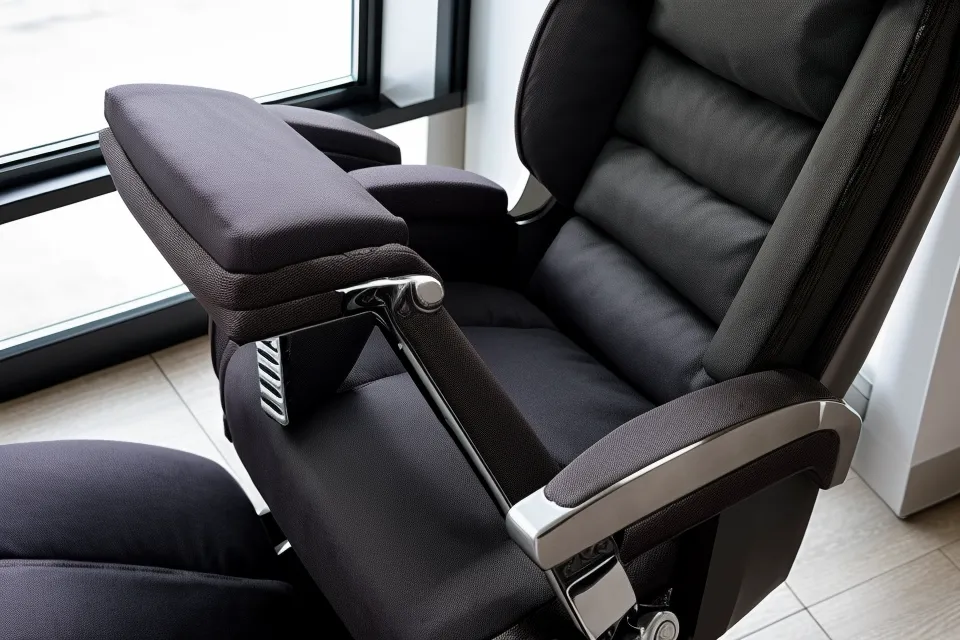
Most North American desks come in at a fixed 29 inches, and that single number is responsible for more shoulder pain than any chair spec. The neutral posture standard calls for elbows bent somewhere between 90 and 120 degrees at the keyboard, and a fixed-height desk only lines up with that range if you happen to be exactly average height. Shorter than that, and a 29-inch surface forces your shoulders to shrug just to get your hands level with the keys. Taller, and you end up hunching down to compensate instead.
A regular commenter on a home-office forum I follow, Renwick Tynan (who grades almost every desk by its grommet placement and cable-routing channels before he even looks at the surface height), once pushed back when I said desk height mattered more than desk material for shoulder strain. He wasn't wrong that build quality counts for something over the long run — just not for this particular problem. Raising the chair until elbows sit level with the desk, and adding a footrest so your feet aren't left dangling, does more for shoulder tension than any material upgrade will. If lower-back pain is the bigger complaint for you rather than shoulders, the fix looks different enough that I broke it down separately in Most Comfortable Office Chairs for People With Sciatica Pain, since lumbar support and shoulder alignment don't respond to the same adjustments.
Do Armrests Matter as Much as the Backrest for Posture Correction?
They matter, and width is the one setting most people never touch after unboxing. My chair's armrests move in more directions than the average person bothers to explore — that whole adjustment system is a deep enough topic on its own that it deserves separate treatment — but for months I left mine at the factory width, which was wider than my shoulders. That forced my arms to wing outward every time I reached for the mouse, pulling directly on the trapezius and keeping it in a low-grade contraction all day.
Narrowing them until my elbows rested straight down at my sides, instead of angled outward, dropped that tension almost immediately. If your armrests hit the underside of your desk before your elbows line up that way, depth is the next thing to check — and that's where desk clearance starts to matter as much as chair posture.
Getting the Depth Setting Right Without Fighting the Desk
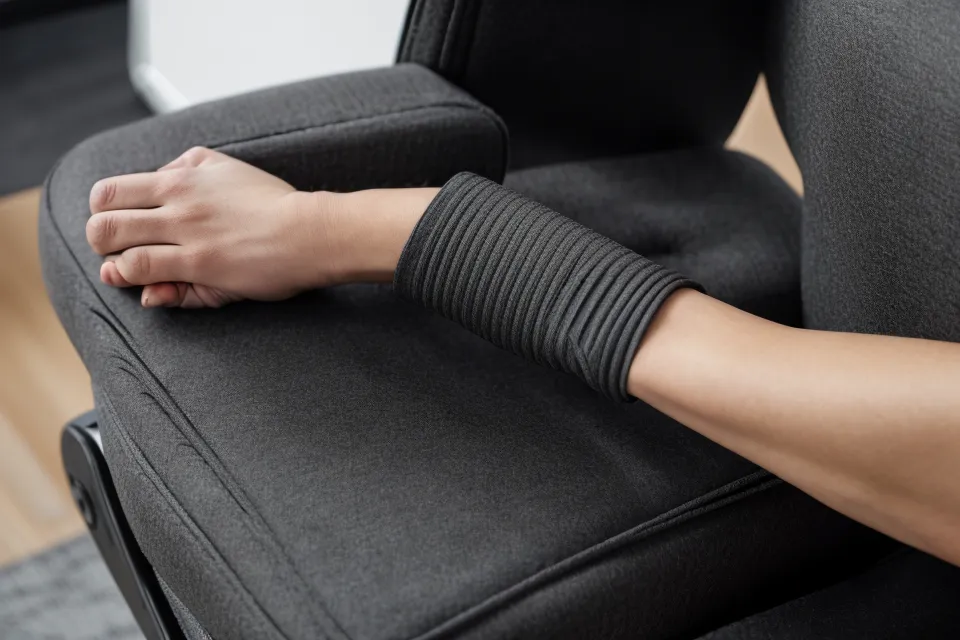
Armrest depth decides whether you can actually pull your chair in close enough to work, or whether you're reaching forward all morning instead. If the pads sit too far forward, they catch the desk edge before your torso gets anywhere near it, and that gap between your body and the keyboard is exactly what drags your shoulders forward into a hunch by midmorning. Sliding the armrests back gives your torso room to get close enough that your center of gravity stays over the chair's base instead of hanging out in front of it.
Seat depth works on a similar principle, just at the other end of the chair — how far the seat pan extends toward the back of your knees changes how your lower back sits against the backrest, which changes how much your shoulders have to do to keep you upright. That adjustment deserves its own full explanation elsewhere; here it's enough to say that if the seat pan is wrong, no amount of armrest tinkering will fully fix the shoulder problem. For people who sit through genuinely long stretches, I've compared how different high-end builds hold up over time in Comfortable Executive Office Chairs for People Who Work Long Hours, since depth and seat-pan wear both show up more the longer you're in the chair.
Do Monitor Height and Standing Desks Change the Equation?
A little, but not as much as people hope. Monitor height affects neck angle more directly than shoulders — get the top of the screen near eye level and a lot of forward head-craning disappears, though that's a big enough subject on its own that it really needs separate treatment rather than a few lines here. Shoulders respond more to the chair-and-desk relationship than to where the screen sits, as long as the monitor isn't so low that you're tipping your whole upper body forward to read it.
Standing desks complicate things because the ideal height range shifts the moment you stand up, and getting that range wrong while standing can undo everything you fixed while sitting. It's a separate calculation from anything covered here, one worth working out on its own rather than trying to reuse your sitting numbers.
When to Stop Adjusting and Start Shopping for a New Chair
Sometimes the chair itself is the limit, not your settings. If you've dialed in recline tension, elbow height, armrest width, and depth, and you're still finishing the day locked up, the mechanism inside a budget chair may simply not hold its adjustments under regular use — mine drifted out of every setting I found within a couple of pay cycles, which is a big part of why I stopped buying anything in that price tier at all. That durability-versus-price tradeoff is worth its own comparison rather than a paragraph here, but it's the reason I now treat chair shopping less like a one-time purchase and more like budgeting for a small appliance that has to survive daily use.
Warranty length ends up being one of the more honest signals of how long a chair's adjustments will actually hold, since a manufacturer backing a mechanism for years is telling you something about how it's built. I broke down how weight capacity and warranty terms compare across several models in Ergonomic Office Chairs Compared: Adjustments, Weight Capacity, and Warranty, if you're at the stage of comparing options instead of adjusting what you already own.

These days, when my kid ends up on my lap at the tail end of a work day, I can stand back up without the automatic wince that used to be part of the routine — that's the actual test, not a diagram of someone sitting at a perfect angle. None of this replaces a doctor or physical therapist if shoulder pain is persistent or spreading beyond what a chair adjustment should reasonably fix; furniture solves furniture problems, not medical ones. For what it's worth, the same durability question shows up everywhere else in this house, too — I've tracked which washable rugs actually survive a toddler's snack habits with about as much skepticism as I bring to chair specs, and the answer is rarely the one on the packaging.