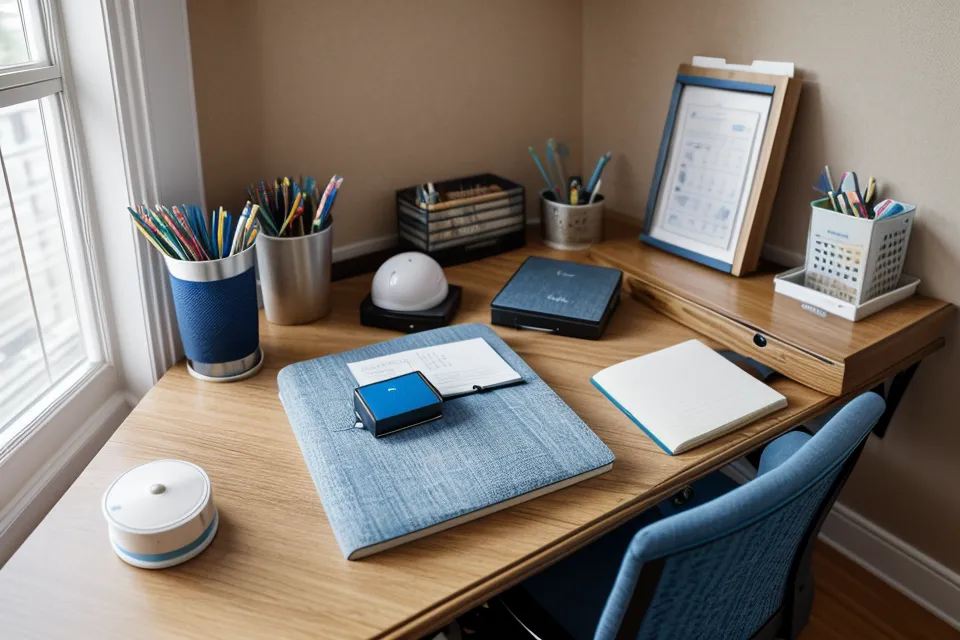
My old desk stayed at one height for years. My current one hasn't held still since the day it arrived, and that difference is the entire case for switching to an adjustable model in the first place. Both have lived in the same spot, a converted second bedroom that still functions as my office no matter what's bolted to the desktop that spans its back wall, but only one of them ever actually fit me. The fixed one sat at what's basically the standard sitting desk height of 29 inches, fine for nobody in particular, which is sort of the problem with "standard" anything. Building an ergonomic workstation that actually fits a specific body, in a specific home office setup, meant giving up on furniture designed for an average that doesn't describe anyone I know.
Here's the short version, if you don't want the whole story: get the height range measured against your own body before you look at anything else, because a desk that's wrong for your height is still wrong no matter how quiet the motor is. I learned that lesson already with chairs — see why I stopped buying cheap office chairs — and the same durability-versus-price math applies to a desk frame you're trusting to hold two monitors every day. Now I check warranty length on a desk motor the same way I check it on a chair frame, since a company unwilling to stand behind its own hardware for more than a year or two is telling you something about how long it actually expects the thing to last.
For a stretch last year, I was reaching for ibuprofen most Thursdays and Fridays, just to get through the week's video calls without my shoulder locking up by the end of it. It didn't fix anything — it just meant I stopped noticing the problem until the weekend gave it a break and Monday reset the whole cycle. That's not a medical recommendation, just what was actually happening before I changed anything about my setup. If shoulder or back pain is a regular thing for you, a physical therapist is a far better resource than any furniture article, mine included.
How Often Should You Really Switch Positions?
Every early guide I read said to alternate every 45 minutes on a timer, and I tried it with a borrowed desk for about a week before giving up — losing the thread of a sentence every time the motor kicked in wasn't worth it. Occupational health guidance is actually more forgiving than the timer apps make it sound: the general recommendation is to alternate sitting and standing somewhere in a 30-to-60-minute window and land on roughly two to four hours of standing across a full workday, not to stand for hours straight. That's a wide enough window to fit around actual work instead of fighting it. My version of it now is standing through a stretch of emails and calls, sitting through a longer deep-work block, and building in a short walk around Pullen Park most afternoons so the total picture still lands inside that range instead of me parking in one position for eight hours straight.
Motor and Frame Specs for a Stable Home Office Setup
Single-motor frames are the budget-sedan-towing-a-boat problem: slower, louder, and they strain under load in a way a dual-motor system doesn't. A decent dual-motor desk usually handles something in the neighborhood of 300 pounds, which sounds excessive until a solid top, two monitors, a monitor arm, and a toddler leaning on the edge for a snack are all stacked on it at once. There's an industry safety certification worth glancing for on the spec sheet too, though I'll leave the fine print of what it actually covers to people who work in furniture safety for a living.
Frame stability is the part nobody photographs well. I tested a T-style frame at full height on a morning when I was typing harder than usual, and the whole thing had just enough give that my webcam picture shook on every keystroke — not dramatic, but enough to notice on a call. Three-stage legs, the kind with two visible seams instead of one, generally give you a taller top height and a steadier feel than two-stage legs do, and if a listing has video of someone typing at full extension, watch it before you buy instead of trusting a number on a spec sheet.
Don't Skip the Collision Sensor
Anti-collision sensors sound like a gimmick until a toddler parks a toy directly under the frame while you're lowering it. Without a sensor, the desk just keeps pressing until something gives — the motor, the desk, or the toy. A sensor that actually works catches a small amount of resistance and reverses immediately, the same basic idea behind a garage door that won't close on a parked car, and it's saved more than one toy from disaster in this house over the past year. The same kid, incidentally, is the reason I've ended up rating every washable rug that's landed under that desk on how it survives a small child, not on how it looks in a showroom.
The Height Range Matters More Than the Motor
A dual motor and a quiet frame don't matter if the adjustable range doesn't actually cover your body. The number to check isn't the top height or the bottom height in isolation: it's whether the desk's lowest setting sits at or below your seated elbow height, and whether its highest setting reaches at or above your standing elbow height. Miss either end and you're back to the same shoulder-shrug problem as a fixed desk, just at a different number. Destiny Hawkins — a reader who first wrote in about a chair post, worried that every best-chair list out there assumed a body over five foot eight, and has emailed on and off since — asked me once how to check a desk's range for a petite frame before buying. I walked her through measuring her own elbow height sitting and standing and matching that against the listed range instead of the marketing photos, and true to form, she went with the first option that checked out rather than shopping around further. Raising the desk without raising the screen to match just relocates the strain from your lower back to your neck; the monitor has to travel with the desktop, not stay wherever it was.
Getting the 90-Degree Angle Right
The 90-degree elbow angle is the number that actually matters day to day, and it applies whether you're sitting or standing: shoulders relaxed, forearms roughly parallel to the floor, wrists not bent up or down to reach the keyboard. My old fixed desk sat just high enough that I had to lift my shoulders slightly to type, and years of that turned into a knot between my shoulder blades that stretching never touched. Half-inch adjustment increments on the current desk fixed that specific problem, and presets help lock it in once you've found it. Most decent frames give you at least four, enough for a precise sitting height, a precise standing height, and a couple of spares if anyone else in the house ever uses the same desk.
A desk alone doesn't finish the job, though — the chair underneath you has to hold up its end too. That's what sent me looking into the best Herman Miller office chairs for long work days at home, where seat depth turned out to matter almost as much as the desk height did, since a seat pan that's too long pushes your knees up and undoes the angle you just spent money fixing. Armrests that don't line up with the desk height fight you the same way lumbar support that doesn't reach your actual lower back does: different pieces of the same puzzle. My neighbor Jacinda Wehr, who lives two doors down and works from home herself, spent years dismissing any of this as a scam for people with more money than sense, right up until her own back forced the issue. Recline tension is its own adjustment most people never touch, and it's worth knowing how to calibrate before assuming your chair is the problem instead of the setting.
Four weeks into using the current setup, I picked my toddler up off the floor at the end of a long day, straightened up, and realized halfway through the motion that the usual pull through my shoulder wasn't there. Nothing about that moment felt dramatic. I didn't stop and marvel at any of it, I just kept walking to get dinner started. That's actually the more useful marker than any timer or step count: not whether standing feels virtuous in the moment, but whether ordinary movement — picking up a kid, reaching for a coffee mug, standing back up from a long call — stops hurting somewhere down the line. A desk that gets you there is worth the money. One that just looks adjustable in photos isn't, and the only way to tell the difference is to check it against your own body instead of the marketing copy.